Pico Pico - Introduction
In this book, we use the Raspberry Pi Pico 2 W and program it in Rust to explore various exciting projects. You'll work on exercises like dimming an LED, controlling a servo motor, measuring distance with an ultrasonic sensor, displaying the Ferris (🦀) image on an OLED display, using an RFID reader, playing songs on a buzzer, turning on an LED when the room light is off, measuring temperature, and much more.
Meet the Hardware - Pico 2 W
We will be using the Raspberry Pi Pico 2 W, which is based on the new RP2350 chip and includes WiFi and Bluetooth capabilities. It offers dual-core flexibility with support for ARM Cortex-M33 cores and optional Hazard3 RISC-V cores. By default, it operates using the standard ARM cores, but developers can choose to experiment with the RISC-V architecture if needed.
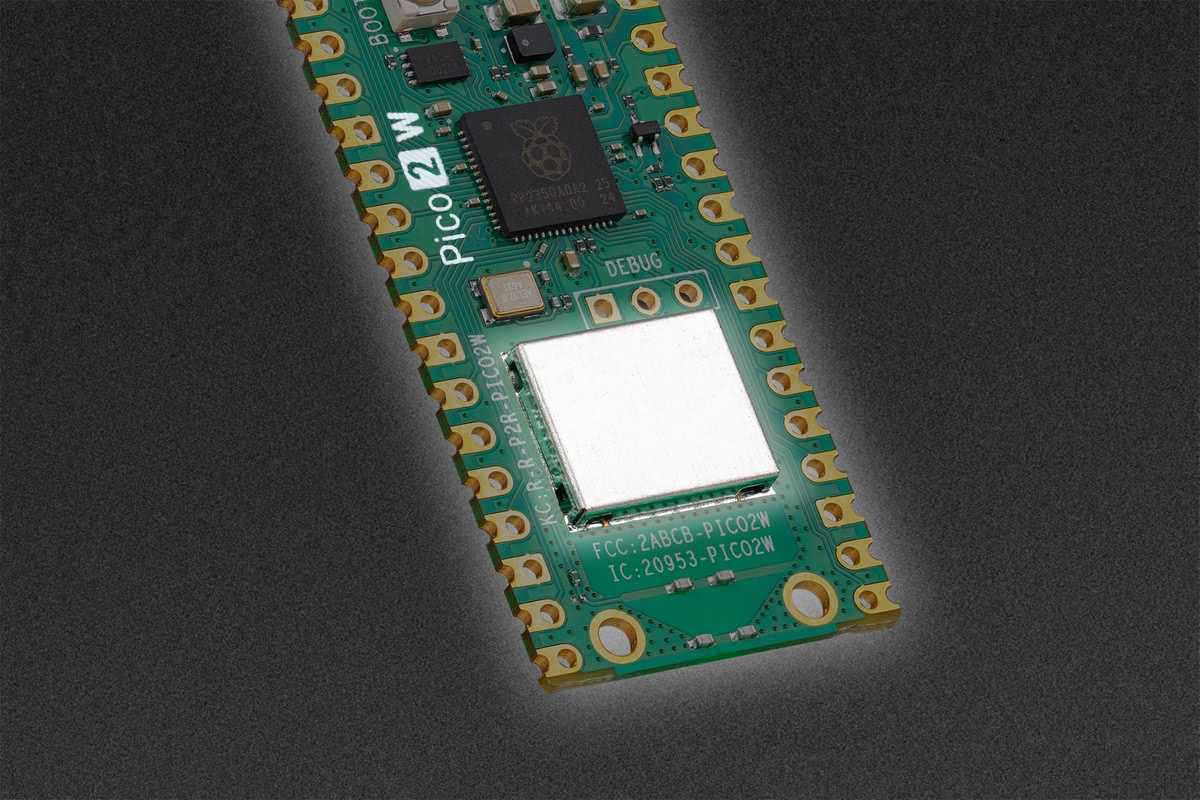
Raspberry Pi Pico 2 W - Official Product Photo
The Pico 2 W adds wireless connectivity through the CYW43439 wireless chip, making it perfect for IoT projects that need WiFi or Bluetooth communication. The wireless chip is connected via SPI and managed through the cyw43 driver in your Rust code.
There is an older Raspberry Pi Pico that uses the RP2040 chip. In this book, we will be using the newer Pico 2 W with the RP2350 chip and wireless capabilities. When buying hardware, make sure to get the correct one!
Important for Pico 2 W users: GPIO pins 23, 24, 25, and 29 are used by the wireless interface on the Pico 2 W. GPIO25, which controls the onboard LED on the standard Pico 2, is managed by the WiFi chip on the Pico 2 W. This means you need different code to control the LED - we'll show you exactly how throughout this book.
If you have the standard Pico 2 (non-wireless) variant, most examples will work with minor modifications. The main difference is in LED control and GPIO availability.
Pico 2 W Wireless Features
Wireless Capabilities
WiFi Support
2.4GHz 802.11n wireless networking with onboard PCB antenna. Perfect for connecting to your home network or creating IoT devices that communicate over WiFi.
Bluetooth Support
Bluetooth 5.2 support for wireless communication with other Bluetooth devices.
Reserved GPIO Pins
GPIO 23, 24, 25, and 29 are dedicated to the wireless interface. GPIO25 (onboard LED) requires special handling through the cyw43 driver rather than direct GPIO control.
Datasheets
For detailed technical information, specifications, and guidelines, refer to the official datasheets:
License
The Pico Pico book is distributed under the following licenses:
Code Samples:
Licensed under MIT License and Apache License v2.0
Written Content:
Licensed under Creative Commons CC-BY-SA v4.0
Circuit Diagrams:
Created with Fritzing
Support this project
You can support this book by starring this project on GitHub or sharing this book with others 😊
The experiments and projects shared in this book have worked for me, but results may vary. I'm not responsible for any issues or damage that may occur while you're experimenting. Please proceed with caution and take necessary safety precautions.